Cohort Analysis
The Cohort Analysis subsection helps you to compare groups of players to analyze their long-term effectiveness.
As a result of setting up, the report will include the number of cohort members, the retention percentage from the initial count and additional metrics if they have been added.
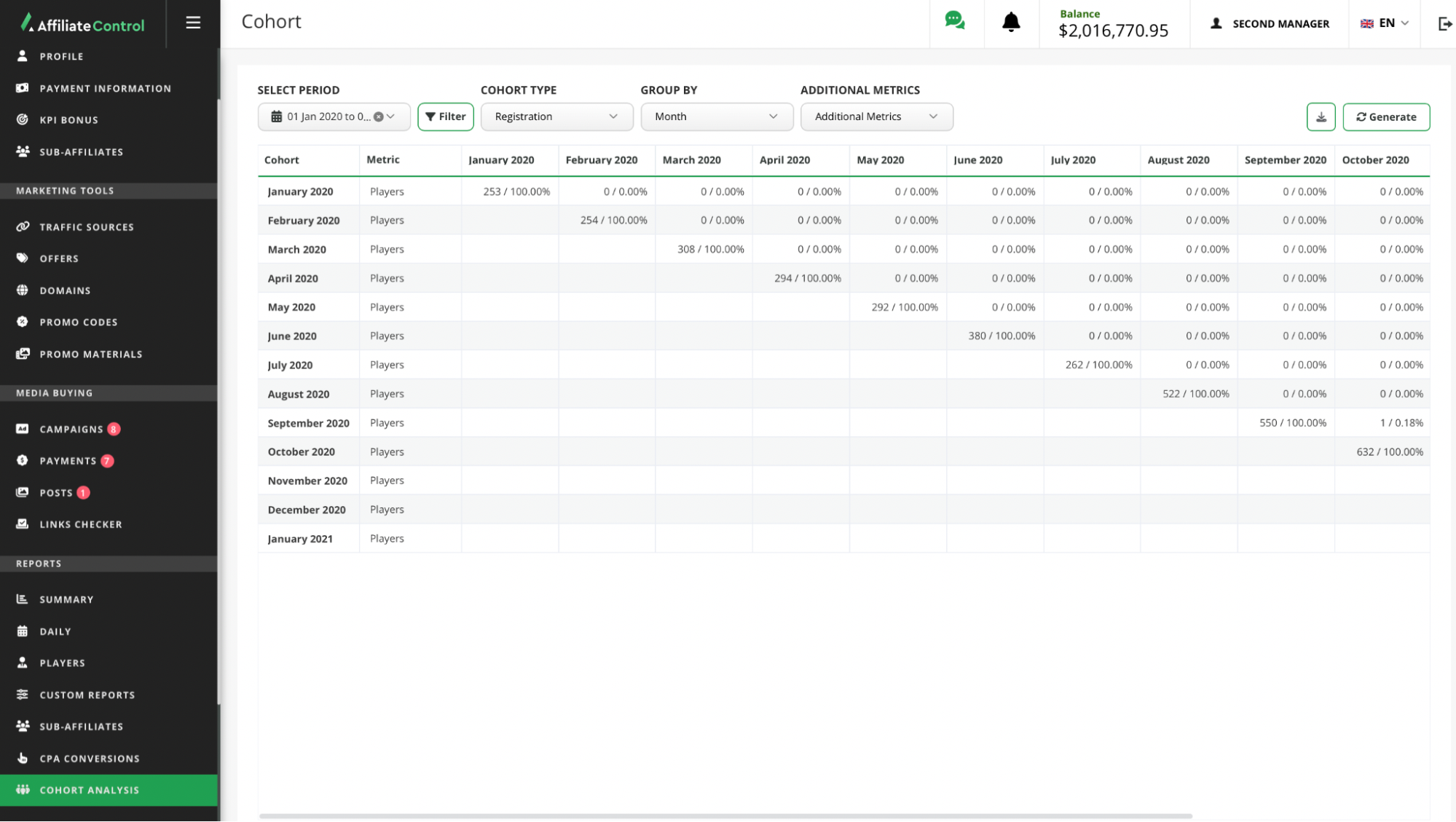
Setting
To generate the report and further analyze it, the following steps should be followed:
Set the period. Define the period for which you want to analyze the players' activity.
Select a cohort attribute. Players are grouped into cohorts based on the following attributes:
- Registration — includes players who registered during the specified period.
- First deposit — includes players who made their initial deposit within the selected timeframe.
- Earliest deposit — includes players who made any deposit (1st, 2nd, etc.) during the chosen period, even if they had deposits before this period.
Note
For the «Earliest Deposit» attribute, the player-to-cohort mapping is always one-to-one (1:1). This means a player may belong to no cohort at all, but never be in two cohorts at the same time.
Set the level of grouping. Players who match the attribute are assigned to a cohort according to the date of their activity. It is possible to group players by:
- Day — the player is assigned to a cohort based on the date (day) of his activity.
- Week — the player is assigned to a cohort based on the week his activity occurred.
- Month — the player is assigned to a cohort based on the month of his activity.
Customize additional metrics (optional). A multiple selection is available. By default, the report always includes the following metrics: number of players, percentage of the initial count of players in the cohort.
Apply filters (optional). Filter the data by the necessary attributes.
- Affiliates. «Sub-Affiliates» — generates a report on players who are assigned to sub-affiliates; «My Account» — generates a report on players who are assigned to your account.
- Players. «New players» — generates a report on players who made the first deposit in the specified period of time; «Old players» — generates a report on players who made the first deposit earlier than the specified period.
- Brand. Displays data of players of a specific brand.
- Offer. Shows the players of the selected offer.
- Traffic Source. Generates a report on players who acquired through the selected traffic source.
- Marketing Material. Generates a report on players acquired through the selected promo material.
- Media Buying Root Campaign. Generates a report on players who were acquired through media buying. Available with access to the «Media Buying» subsection.
- Media Buying Campaign. Available when the root campaign is selected.
- Player registration country. Filtering by player registration country.
Click the «Generate» button.
Export the report in CSV or XLSX format, if necessary.
Players included in the initial cohort will continue to be considered as active if they make active actions in the following period.
Active actions include: making a deposit, withdrawing funds, placing bets on sports or casino.